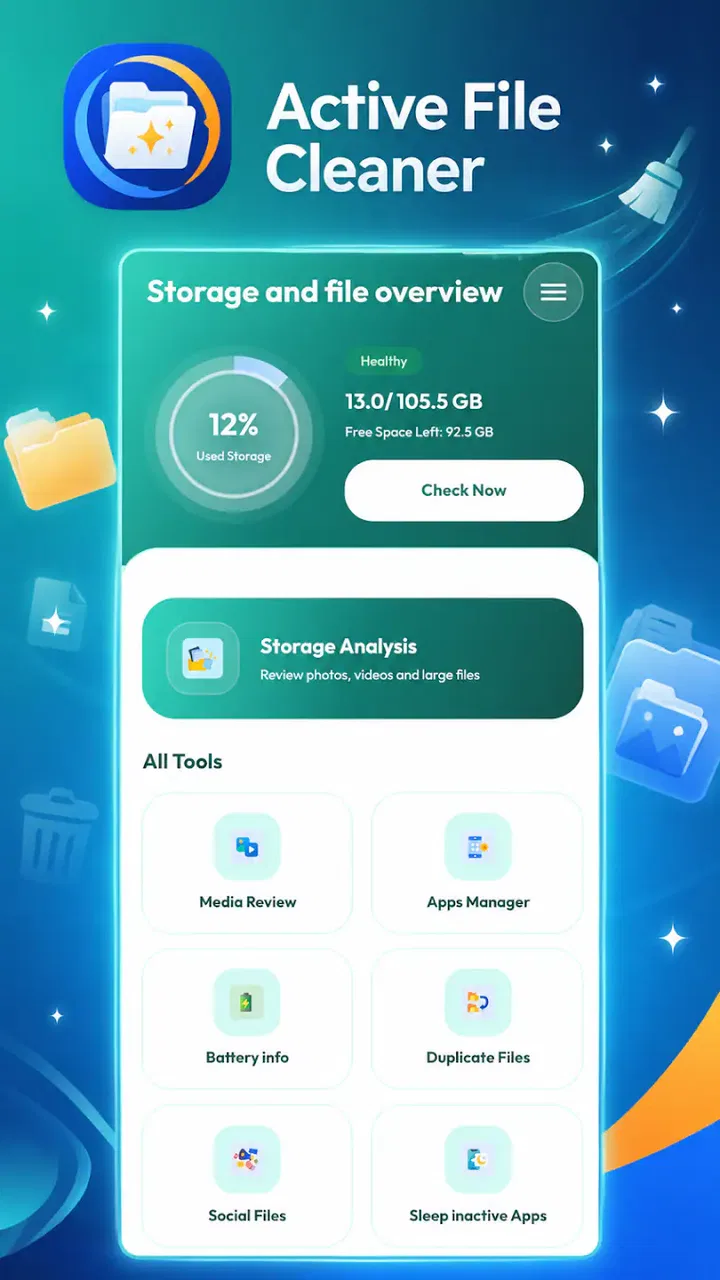
Active File Cleaner
- 3.2
- Rating
- 100.00K
- Installs
- Free
- Price

 Analysis by App-foxy
I approached Active File Cleaner as a practical tool for the moments when an Android phone starts feeling crowded and I want a clearer view of the files taking up space. It is made by Glorich Limited, costs nothing to install, and is aimed at everyday cleanup rather than advanced file management. That simple focus is important: this is not an all-purpose replacement for the phone’s file browser, and I would not treat it as a complete maintenance suite. Its value depends on how clearly it helps me identify removable clutter and how confidently I can review anything before deleting it.
The app sits in the tools category, with an Everyone age rating, so it is positioned for ordinary household use rather than a specialist audience. It has passed the threshold of over one hundred thousand installs, while its average score is 3.1 from roughly three hundred ratings. Those figures suggest a useful but uneven experience: enough people have tried it to make it familiar, yet the rating also tells me not to expect a universally smooth result on every phone.
What using Active File Cleaner feels like
The first thing I look for in a cleaner is whether it gets to the point quickly. A cleanup app should not make me navigate through a maze of menus before showing me why I opened it. Active File Cleaner’s identity is refreshingly direct. Its purpose is easy to understand, and that makes it suitable for someone who wants a focused tool instead of a large utility packed with unrelated functions.
You May Also Like

 Blood Strike: 2.5 Anniversary
Blood Strike’s Loadouts Turn Every Drop Into a Tactical Gamble
A close look at Blood Strike’s custom loadouts: how fast access to signature weapons reshapes its battle royale rhythm, rewards preparation, and narrows the gap between fights.

 Pandora - Music & Podcasts
Pandora’s Music Is Easy to Start, but Harder to Recover
Pandora’s strength is its low-effort path from a seed to a station. Its weak spot is how much confidence it asks you to place in connection, setup, and quiet recovery.

 8 Ball Pool
 Is Built on Rivalries, Rematches, and Routine
A close look at the rivalries, rematches, shared routines, and unanswered safety questions that turn a quick pool match into a persistent mobile community.

 Samsung Music
’s Quiet Strength Is Playing What You Already Own
Its reach comes less from spectacle than from dependable access to a personal library. That simplicity is both the app’s strongest retention engine and its ceiling.

 AccuWeather: Weather Radar
AccuWeather Review: A Quick, Clear Forecast for Everyday Decisions
For everyday plans, the best forecast is the one you can understand quickly. AccuWeather makes rain timing, radar, and local conditions easy to act on, with a few trade-offs.

 Hill Climb Racing
Why Hill Climb Racing Still Turns Crashes Into One More Run
A tiny car, a bumpy hill and one more upgrade: Hill Climb Racing keeps resurfacing because its simple chaos makes every near-miss feel personal.
More From Our News Desk



That does not automatically mean every scan will feel instant. Scan speed can change noticeably with the amount of stored material, the age of the device, and the condition of its storage. I would judge this app by how readable the results are as much as by how quickly they appear. A fast scan that encourages careless deletion is less useful than a slightly slower one that lets me make an informed decision.
My preferred workflow is to open the app when I have a specific reason, let it inspect the phone, and then review the proposed cleanup rather than accepting everything immediately. This is especially important after downloading media, moving files between folders, or clearing out material from a messaging conversation. The app makes more sense as a controlled inspection step than as something I would run repeatedly throughout the day.
The practical advantage is focus: I can use a dedicated cleanup tool when the phone feels untidy, without confusing that task with backing up photographs, organizing documents, or managing installed applications. Those jobs still belong to the phone’s own tools or to specialized alternatives.
Where the speed matters in daily use
Consider a familiar situation. I am about to record a long video, download an offline map, or install a large update, and the phone warns that storage is getting tight. In that moment, I do not need a complicated storage lesson. I need to locate disposable material, remove it carefully, and return to the original task. Active File Cleaner is most appealing in this short, occasional scenario because its purpose is narrow enough to keep the process understandable.
A second useful moment comes after a holiday or family event, when the phone has accumulated duplicate-looking downloads, temporary material, and files I opened once but no longer need. I would still inspect names and locations individually where possible. A cleanup suggestion is not the same thing as proof that a file has no value. Receipts, exported documents, voice recordings, and images saved for later can look like clutter while still being important.
For that reason, I would avoid judging performance only by the amount removed. The better measure is whether the app helps me make decisions with less effort. If it reduces searching and presents a manageable review, it has done its job even when I delete only a small amount.
What happens when the phone is under pressure
Heavy-use moments are where expectations need to stay realistic. If a device has a large, crowded storage area, any cleaner may need more time to inspect it than it would need on a lightly used phone. Older hardware can also make the process feel less immediate. I would not start a broad cleanup while using another demanding app, recording an important video, or waiting for a time-sensitive download to finish.
My advice is to close unrelated work, keep the phone connected to a reliable power source when the device is already low on battery, and give the scan room to finish. That is not a special requirement of this particular app; it is sensible behavior whenever a tool is examining many files. It also makes it easier to notice whether the interface remains responsive instead of blaming the cleaner for a phone that is already overloaded.
There is another trade-off during intensive cleanup: removing files can create a short-term sense of improvement, but it does not solve every cause of a slow phone. Storage space, background activity, outdated software, and an aging battery can all affect how a device feels. I would use Active File Cleaner to address unnecessary files, not as a promise that every performance problem will disappear.
The most useful heavy-use routine is therefore selective. I would first deal with obvious disposable material, pause to check how much space was recovered, and only then consider another pass. This staged approach lowers the chance of deleting something important and makes it easier to identify whether storage was actually the main problem.
Reliability and the confidence to delete
Reliability for a cleaner is more than avoiding a crash. I also want predictable results, clear separation between safe-looking clutter and personal files, and a recovery mindset. Before using any cleanup recommendation, I would open important documents, photographs, recordings, and downloads in the phone’s normal file tools. Anything irreplaceable should be copied elsewhere first.
I am cautious about one-tap cleanup in any application. Convenience is attractive, but a broad deletion action can be too blunt for a phone that mixes work, school, family, and personal material. Active File Cleaner is better suited to users who are willing to review what is selected. If I wanted a completely automatic process with no decisions, I would choose a system feature only after understanding exactly what it removes.
Recovery is another reason to slow down. Deleted files may not always be easy to restore, and I would not assume that a cleaner can undo every action. My own rule would be simple: if a filename, folder, or preview is unfamiliar, I leave it alone until I have checked it elsewhere. That small habit is more valuable than trying to maximize the amount deleted in one session.
The app’s 3.1 average rating, based on around three hundred ratings, also affects my confidence. It is not a reason to dismiss the tool, but it is a reminder to test it conservatively on my own device. I would begin with nonessential clutter, observe how the results are presented, and only expand my use if the behavior feels consistent.
Device compatibility and realistic limits
Active File Cleaner supports Android 8.0 and later, which covers a broad range of phones while still excluding devices running older software. Before installing, I would check the Android version in the phone settings rather than assuming that every older handset can use it. Compatibility is especially relevant for people keeping a device for many years or using a budget model that has not received recent system updates.
The phone itself will shape the experience. A newer device with faster storage may complete an inspection more comfortably than an older model with limited free space. A phone that is nearly full can also feel sluggish before the app even starts. In that situation, I would first remove a few files manually from an obvious location, such as a completed download, and then use the cleaner for a more organized review.
I also would not install it on a device managed by an employer or school without checking the applicable rules. File cleanup can affect locally stored material, and managed phones may have restrictions that make a third-party tool less appropriate. For a family phone, the Everyone rating makes the app approachable, but I would still explain the review-and-delete process to younger users rather than handing over a broad cleanup button.
Resource demands deserve the same careful treatment. I cannot responsibly promise that the app will use a particular amount of memory or battery on every model. My expectation would be that an occasional scan is more sensible than leaving any cleaner active as a permanent background habit. If the phone becomes warm, unresponsive, or unusually slow during a scan, I would stop and retry later rather than forcing the process.
How it compares with the usual alternatives
The closest alternative is the file-management feature already included with many Android phones. That built-in option has a major advantage: it is already part of the system and usually fits the phone’s existing storage view. For a user who only needs to delete a few known downloads or large videos, the built-in route may be faster and more reassuring.
Active File Cleaner becomes more interesting when I want a separate cleanup-focused view rather than manually browsing folders. Its benefit is convenience and concentration, not magical access to space that the phone cannot otherwise release. I would choose it when the built-in tools feel scattered or when I want a dedicated reminder to review stored material.
Cloud photo services are another different kind of alternative. They can help reduce local photo storage by keeping copies online, but that introduces account, network, and organization considerations. A cleaner handles local files; it is not a substitute for backup. If my main problem is a large photo library that I still want to keep, a backup-and-storage workflow is more suitable than deleting images simply because they occupy space.
Traditional file browsers are preferable when I need precise control over folders, filenames, and transfers. They take more effort, but that effort can be worthwhile for work documents or complex downloads. I see Active File Cleaner as the middle ground: more focused than browsing everything manually, but not a replacement for careful file management.
Who should use it, and who should skip it
I would recommend this app to someone who wants a straightforward cleanup utility for occasional storage reviews, especially if the phone has accumulated files through normal daily use. It can also suit a less technical user who prefers a focused tool over a full file browser, provided that person is comfortable checking suggestions before deletion.
I would skip it if I already understand the phone’s built-in storage controls and only remove a few known files at a time. I would also look elsewhere if I need automatic backup, advanced folder synchronization, secure document handling, or a detailed explanation of every system storage category. Those needs call for different tools, and installing a cleaner will not make them disappear.
Users with very old Android software should check compatibility first. People with valuable files should establish a backup routine before experimenting. And anyone expecting a dramatic speed boost should adjust that expectation: freeing space can help a crowded phone feel healthier, but it is not a universal fix for slow hardware or software problems.
My performance verdict
Active File Cleaner is a sensible, narrowly focused Android tool for reviewing unwanted files, but I would use it with patience rather than blind trust. Its free price removes the cost barrier, and its clear purpose makes it easy to understand. The current version is 4.0, and the app has attracted over one hundred thousand installs, so it is not an obscure experiment. Still, the middling average rating tells me to evaluate it on my own phone and keep deletion decisions under my control.
In my view, its strongest performance is practical rather than spectacular. It is most useful when I have a specific storage problem, enough time to review the results, and no need for backup or advanced file organization. I would run it occasionally, start with obvious clutter, and check important folders independently before confirming removal.
My recommendation is cautious but positive: try Active File Cleaner if you want a dedicated cleanup step and your device runs Android 8.0 or newer. Keep the built-in file manager available for precise work, protect important files before deleting anything, and do not expect the app to repair every kind of slowdown. Used as a careful inspection tool, it can earn a place in a simple phone-maintenance routine; used as an automatic cure-all, it is unlikely to meet those expectations.
FAQs for Active File Cleaner
01What is Active File Cleaner, and what does it do?
Active File Cleaner is a utility designed to help identify and remove unnecessary files from a device. It may scan areas such as temporary files, cached data, duplicate items, downloads, and other storage categories, depending on the platform and permissions available. Its main purpose is to free storage space and make file management easier, rather than provide a complete performance boost for every device.
02Is Active File Cleaner safe to use on Android or iOS?
The app can generally be used safely when downloaded from an official app store and reviewed carefully before confirming any deletion. However, users should pay attention to the files selected for removal, because cleaning tools may identify items that are no longer needed but still have personal value. It is recommended to review scan results, keep backups of important documents, and avoid granting permissions that seem unrelated to the app’s purpose.
03Can Active File Cleaner delete photos, videos, or important documents by mistake?
Like most file-cleaning applications, Active File Cleaner may display personal files or large items during its scan, especially when the goal is to recover storage. Whether anything is deleted automatically depends on the version and the action selected by the user. Before cleaning, carefully check the results and exclude photos, videos, downloads, messaging attachments, or documents that you still need. A backup is advisable before performing a large cleanup.
04Does Active File Cleaner really improve device performance?
Active File Cleaner can help when a device is nearly full, since removing unnecessary files may make more storage available and reduce clutter. Nevertheless, it should not be considered a guaranteed solution for slow performance, battery drain, or application crashes. The practical benefit depends on how much removable data is found and the device’s condition. Restarting the device, updating apps, and removing unused applications may also be necessary.
05What permissions and costs should I expect when using Active File Cleaner?
A cleaning app commonly requires access to storage or files so it can scan and organize removable data. The exact permissions, advertising model, and available features may vary between Android and iOS versions. Some functions may be free, while advanced tools could require a subscription or one-time purchase. Before downloading, check the current store listing, privacy information, in-app purchase details, and whether the app offers automatic cleaning or only manual recommendations.
Pros
- Quickly identifies and removes unnecessary files from device storage.
- Simple interface makes cleanup accessible for less technical users.
- Can help free space without requiring a complicated setup process.
- Useful for locating leftover files from uninstalled applications.
- Lightweight design should have minimal impact on device performance.
Cons
- Results may require manual checking to avoid deleting useful personal files.
- Cleaning benefits can be limited on devices with efficient storage management.
- Some features may depend on Android version or device permissions.
- Frequent scans can take time on phones with large amounts of stored data.
- Users should review privacy permissions before granting full storage access.

Active File Cleaner
Gallery